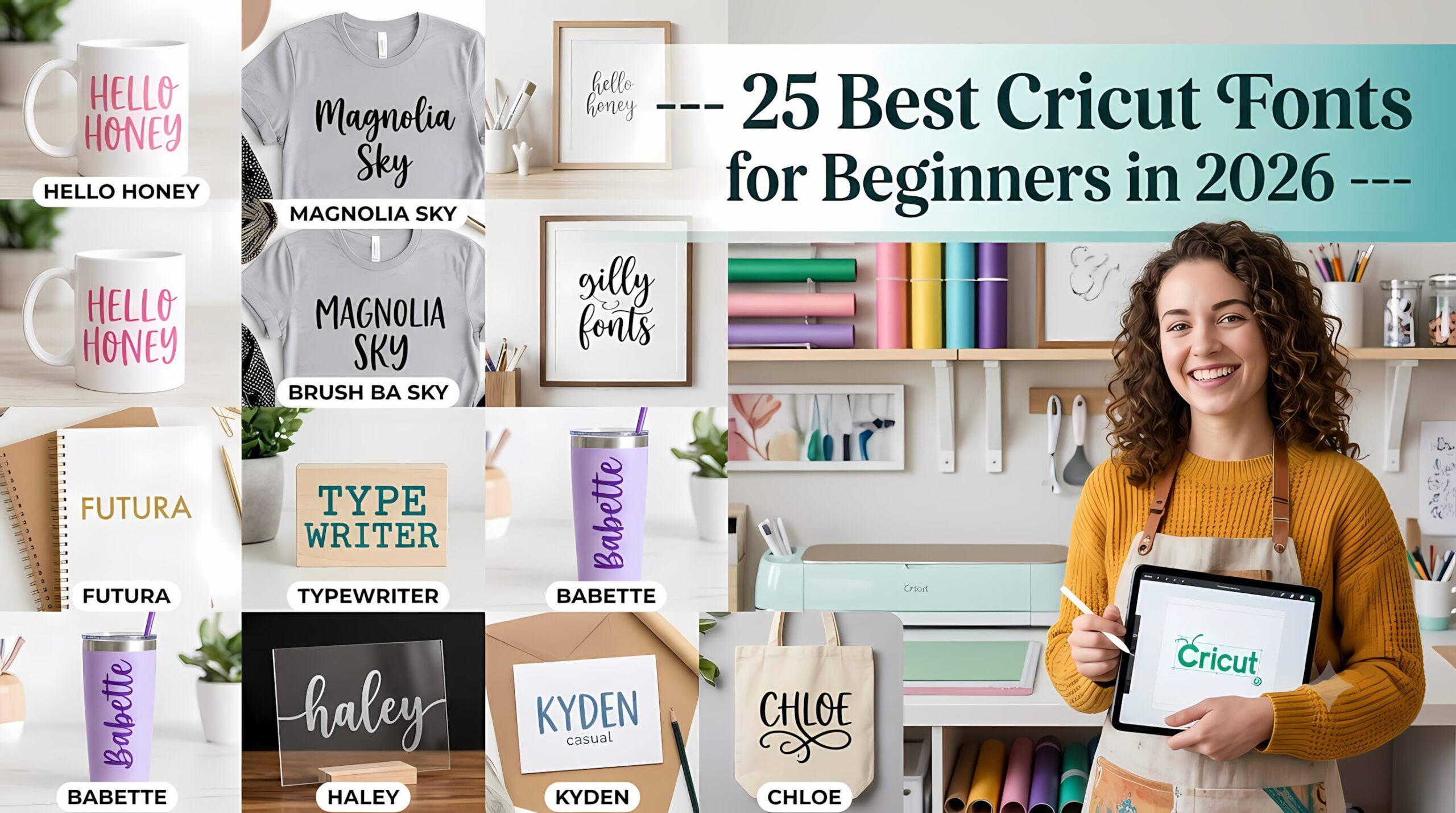
25 Best Cricut Fonts for Beginners in 2026
Picking the right Cricut fonts trips up almost every beginner, and I learned that the hard way on my very first project. I’d picked a gorgeous, swirly script font, hit cut, and ended up peeling tiny scraps of vinyl out of letters for twenty minutes with a toothpick. The font looked perfect on my screen. On the mat, it was a disaster.
Nobody tells you this when you unbox your machine: the font matters almost as much as the design itself. A typeface that’s all delicate hairlines and disconnected swashes will fight you every single time, no matter how careful you are with your blade depth.
So after a few years of trial, error, and way too much wasted vinyl, I put together the list I wish someone had handed me on day one. These are the 25 fonts I personally reach for, or that crafters whose work I trust swear by, when a project needs to actually survive being cut and weeded — not just look nice in a preview window.
All of them are available on Creative Fabrica, and one subscription covers commercial rights for everything below, so you’re not buying licenses one at a time.
📋 Jump to a Font
Click any name below to skip straight to it.
What Actually Makes Cricut Fonts Beginner-Friendly
I learned this the hard way, so let me save you the vinyl. A few things I check before I let myself fall in love with a font:
- Thin strokes are the enemy. They look elegant on a screen and they are an absolute nightmare to weed off a cutting mat. If a letter has a hairline that’s thinner than a credit card edge, expect trouble.
- Connected script letters survive. Disconnected ones don’t. When cursive letters touch or overlap each other, they stay intact as one piece. The second a font has floating dots, detached tails, or loose flourishes, you’re fishing for confetti.
- When in doubt, go bold. Thick, chunky letterforms are nearly impossible to mess up. If you’re nervous about a project, this is your safety net.
- Always test cut first. I do this on every single new font, no exceptions. A typeface that cuts beautifully at 3 inches can completely fall apart at 1 inch. Five minutes of testing saves you a ruined project.
- Check what license you’re actually getting. If you plan to sell anything — even just on the side — confirm commercial use is included before you commit.
Alright, here’s the list.
1. Strong Roots
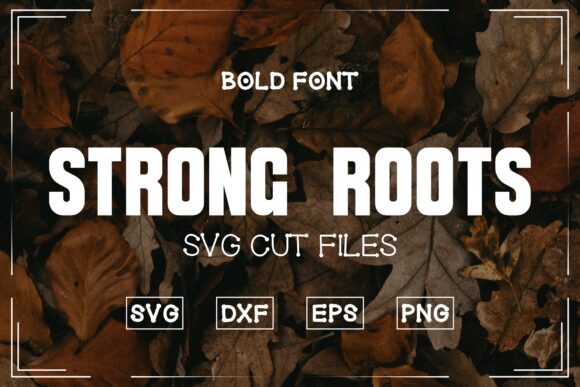

This is the font I hand to anyone who tells me they’re scared of messing up their first project. Thick, even, all-caps strokes from top to bottom — there’s nothing thin enough to tear, and weeding takes about ten seconds flat.
I’d use it for: T-shirts, tumblers, bold statement decor
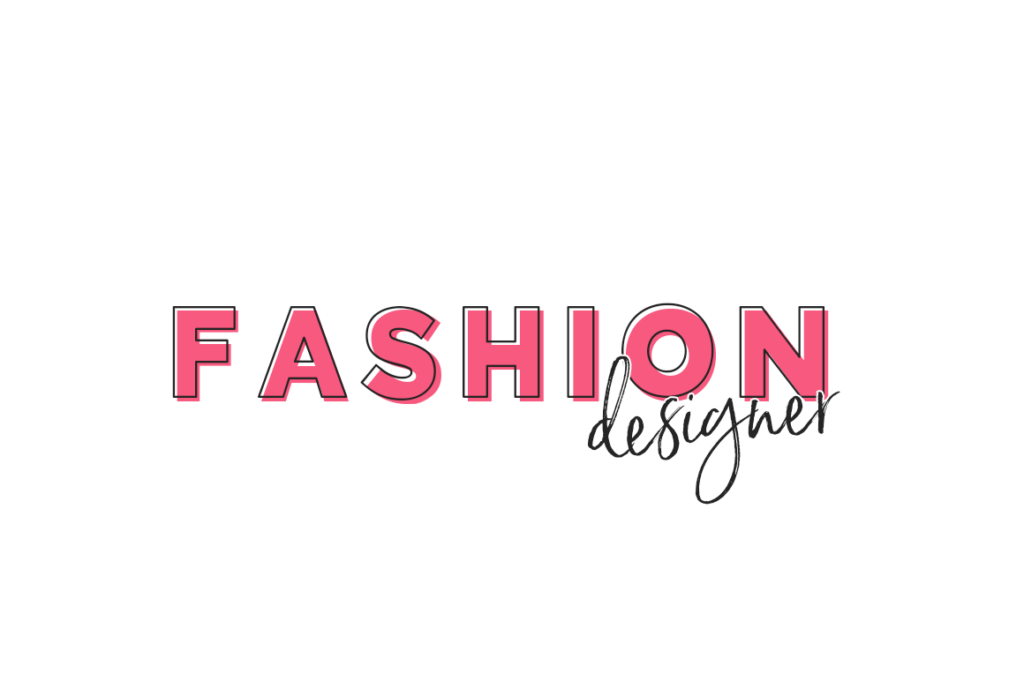
2. Designer
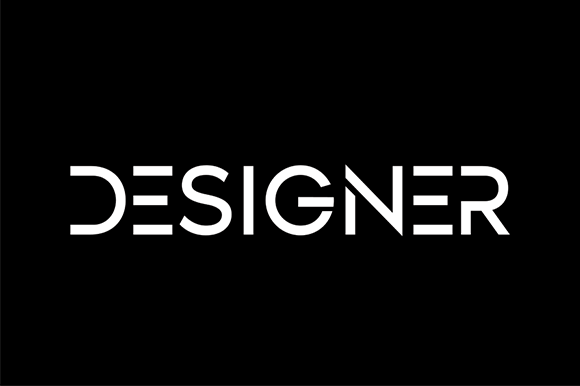

No drama, no flourishes, just clean geometry. I keep coming back to this one when a client wants something that reads “professional” without me having to think too hard about pairing it with anything else.
I’d use it for: Signs, labels, minimalist logos
3. Online School
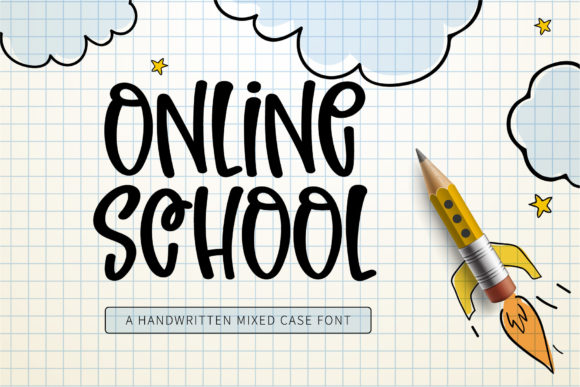

The chunky little curves on this one give it just enough personality to feel hand-picked, but it’s still forgiving enough to cut at small sizes without losing detail. I used it for a friend’s classroom name labels last fall and it held up perfectly even at an inch tall.
I’d use it for: Classroom decor, name labels, kids’ projects
4. Groenly Script
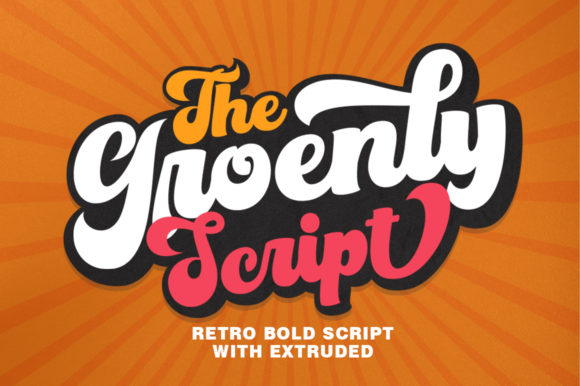

There’s a retro warmth to this one that I love. The loops are generous instead of dainty, which is exactly why it survives cutting where a lot of cursive fonts don’t. Pair it with offset and it looks like it cost you twice as much as it did.
I’d use it for: Tote bags, retro-themed signs, t-shirts
5. Mailston
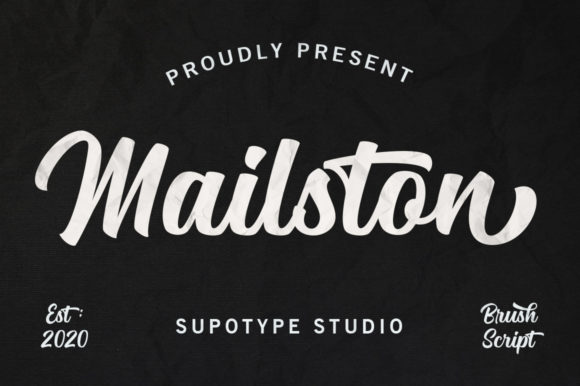
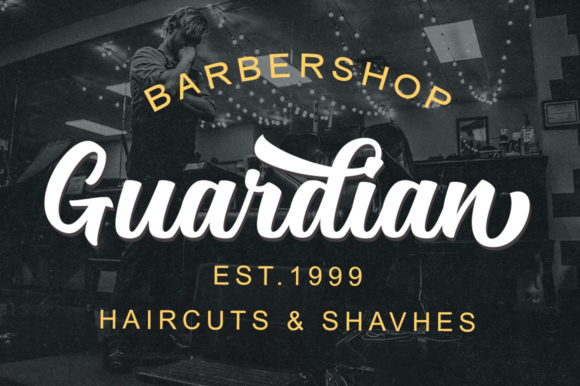
This brush script has a texture to it that makes it look hand-painted rather than printed. I’ve used it on a handful of HTV shirt designs and it transfers cleanly even with the slightly rougher brush edges — something I wasn’t expecting the first time I tried it.
I’d use it for: T-shirts, tote bags, brand logos
6. Fruit Shake
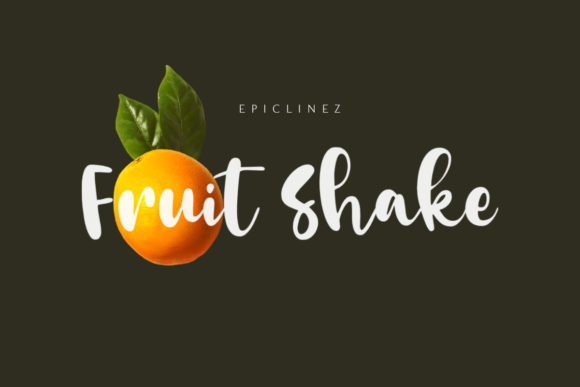
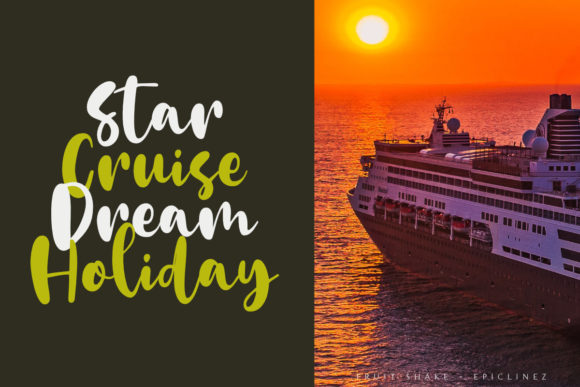
Bouncy, a little goofy, and somehow still easy to weed — the rounded letter endings are forgiving in a way most playful scripts aren’t. This is my go-to when a project needs to feel fun rather than fancy.
I’d use it for: Cake toppers, party decor, kids’ birthday signs
7. Rounded Bold Handwriting
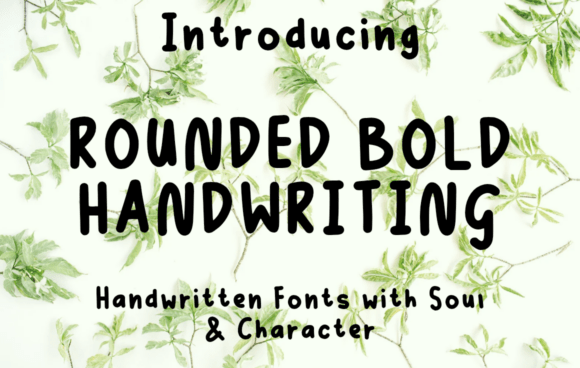

This one looks hand-drawn but cuts like a dream — every stroke is thick and rounded with no thin spots to worry about. I wish I’d known about it before I made my daughter’s bedroom door sign; the soft, friendly shapes would’ve saved me a lot of careful weeding.
I’d use it for: Door decals, nursery decor, nameplates
8. Master Bold

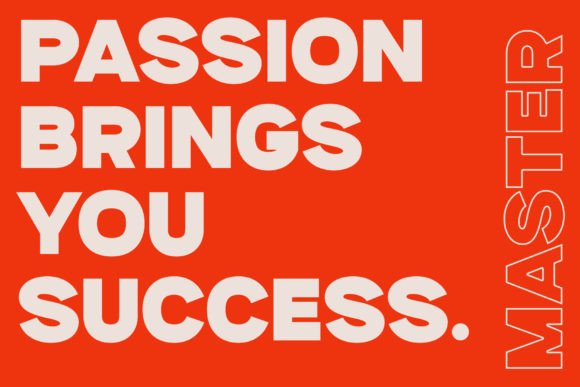
When I need a headline that actually reads as a headline, this is the font I grab. The strokes are thick and confident with no fussy details to lose in a small Print Then Cut design, and it holds its shape at almost any size.
I’d use it for: Print Then Cut, bold titles, statement signage
9. Zen Soul

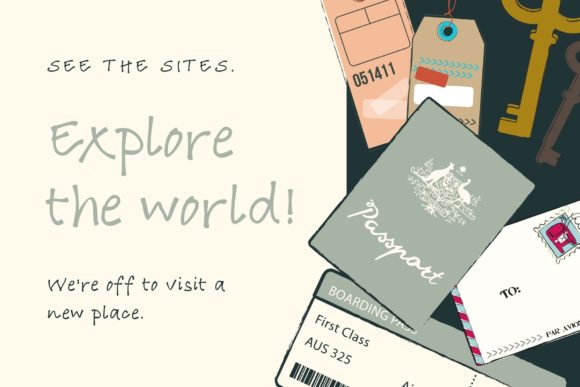
A single-stroke handwritten font that genuinely looks like someone wrote it, not typed it. If your pen-plotting skills are still shaky, this one is patient with you — the letterforms don’t demand precision the way fussier scripts do.
I’d use it for: Greeting cards, journals, Print Then Cut
10. Beverly Hills
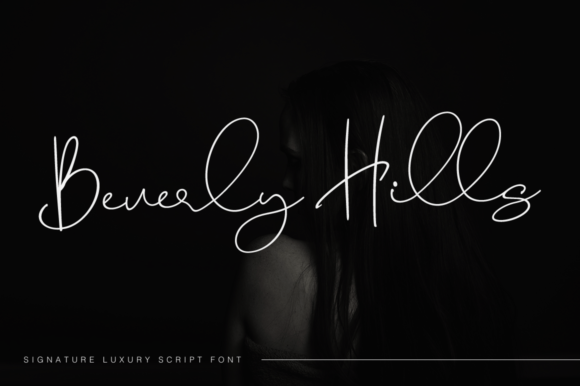

Somewhere between elegant and casual, which is harder to pull off than it sounds. I like having this one in my back pocket for projects where a fully formal script would feel stiff, but a basic cursive would feel lazy.
I’d use it for: Stationery, mugs, Print Then Cut designs
11. Indigo
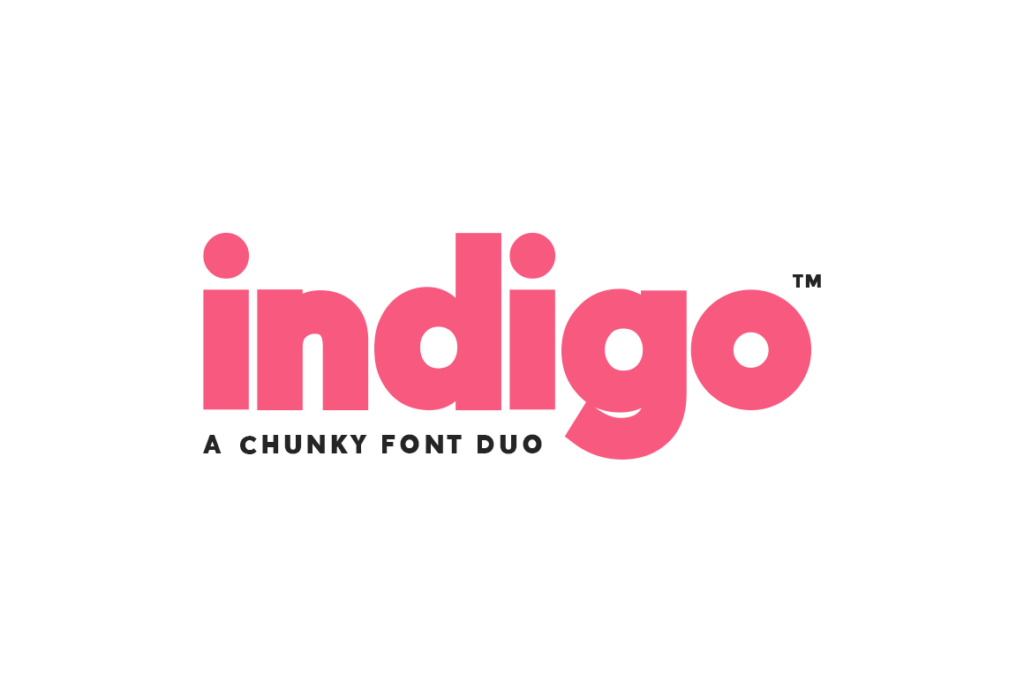
A font duo that’s basically impossible to ruin. Thick and chunky enough that I’d put it in a beginner’s hands without a second thought, and it doubles as a writing font if you want to switch tools mid-project.
I’d use it for: Mugs, kids’ rooms, bold lettering
12. Randy Sofia
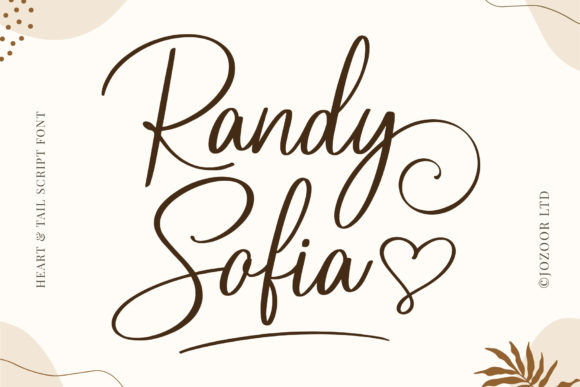
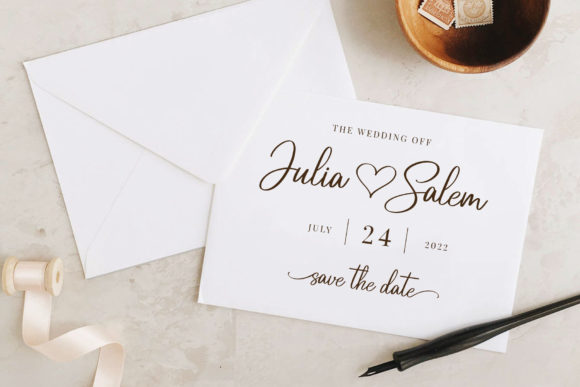
Ask in any Cricut group what font to start with, and someone will mention this one within the first few replies. The little connecting hearts between letters give it that extra charm, and the strokes are generous enough that weeding is genuinely painless for a script font.
I’d use it for: Shirts, decals, everyday projects
🔥 Get unlimited downloads on
Creative Fabrica
The #1 option for designers, crafters & AI creatives
Access a massive library of high-end fonts, professional mockups, and trending design assets. Fresh creative resources are added every single day to keep your toolkit ahead of the curve!
⚡ PRO TIP: Loving these styles? Instead of buying them individually, you can get unlimited downloads of all these fonts in this list with a Creative Fabrica All-Access Subscription. It’s the ultimate hack for designers in 2026!
(Top-Rated by Creators)
Join a global community of millions. Trusted by professional graphic designers, crafters, and digital artists for reliable quality and industry-standard licensing.
13. Hello Honey
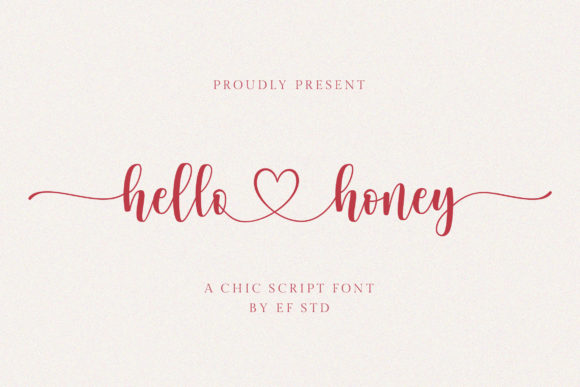
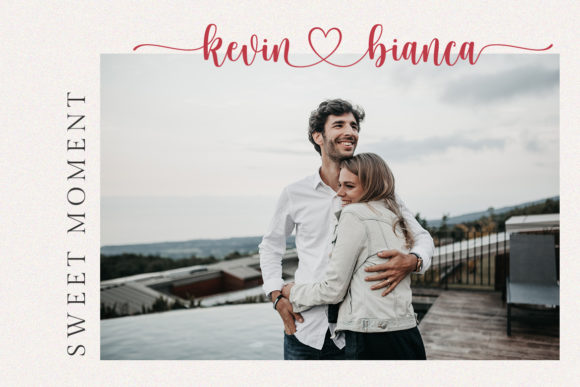
A step up in formality from your average craft script, but it doesn’t sacrifice cuttability to get there. I reach for this when something needs to look a little more put-together — think wedding details rather than weekend projects.
I’d use it for: Wedding decor, stationery, gift tags
14. Samantha
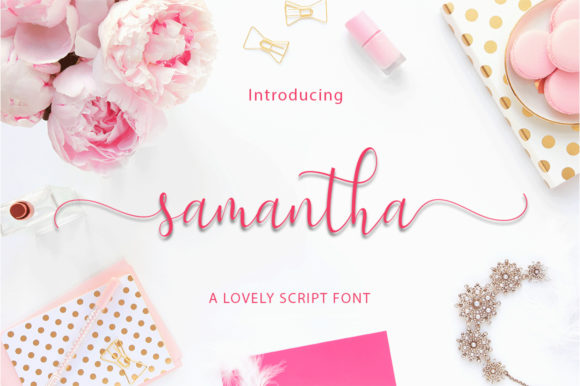
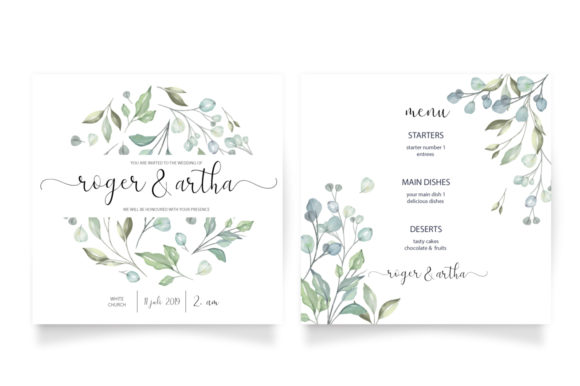
It looks delicate on screen, and honestly that had me nervous the first time I cut it. But the connections between letters are sturdier than they appear, and it’s become one of my most-used all-purpose scripts.
I’d use it for: Invitations, signage, everyday crafting
15. Baby Girl
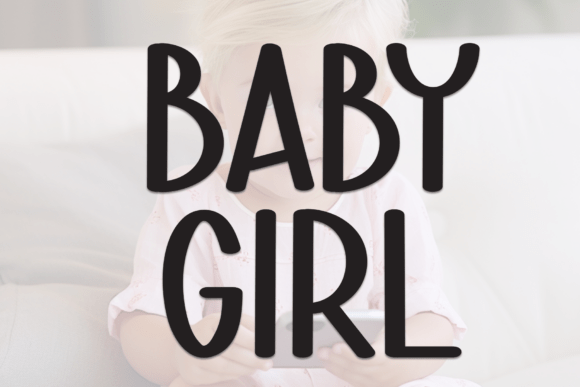
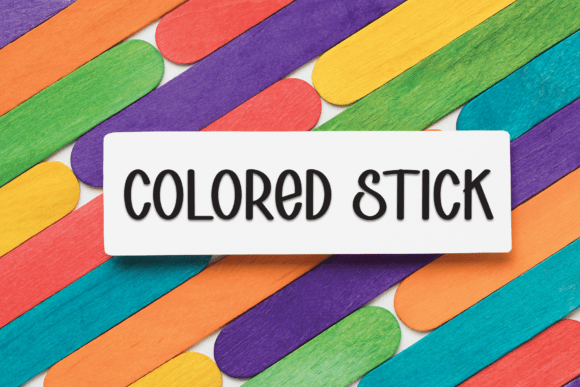
This one shape-shifts depending on what you pair it with — elegant next to a serif, playful next to a bubble font. The swashes add personality without compromising how cleanly the base letters cut.
I’d use it for: Nursery decor, party signs, personalized gifts
16. Precious Soul
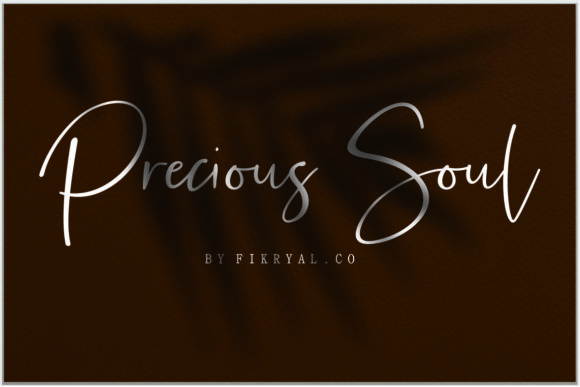
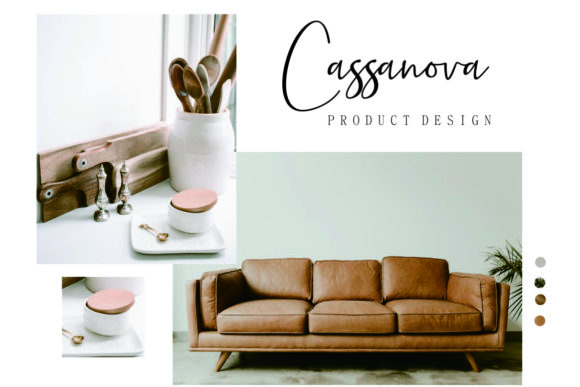
Cleaner lines than most cursive fonts, which makes it read as more “business” than “craft fair.” If you’re making products to actually sell, this is the script I’d point you toward first.
I’d use it for: Branding, business cards, product labels
17. Sunny Script
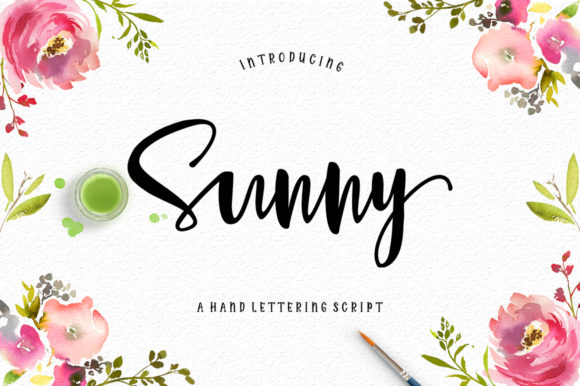
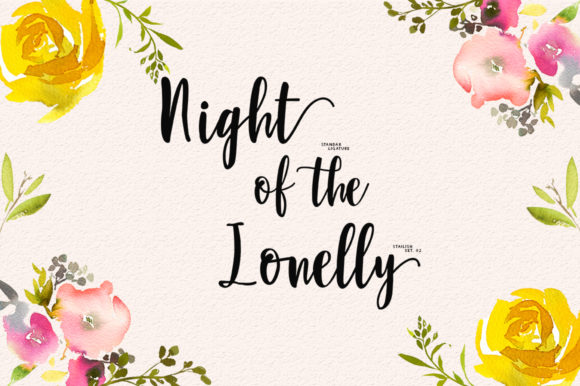
The baseline wobbles just slightly instead of sitting perfectly straight, and that one detail is what gives it character. Feels fresh, a little feminine, and works especially well for spring and summer projects.
I’d use it for: Spring and summer projects, feminine branding
18. Adam

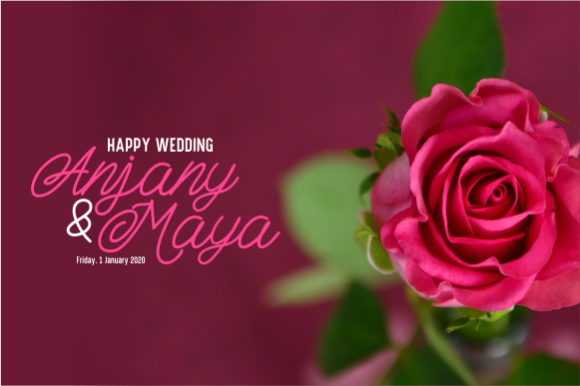
Every stroke is the same weight, which sounds like a small thing until you realize how much easier that makes both cutting and pairing it with other fonts. I use this one constantly for logo work.
I’d use it for: Logos, minimalist signage, monogram pairing
19. Butterfly Monogram
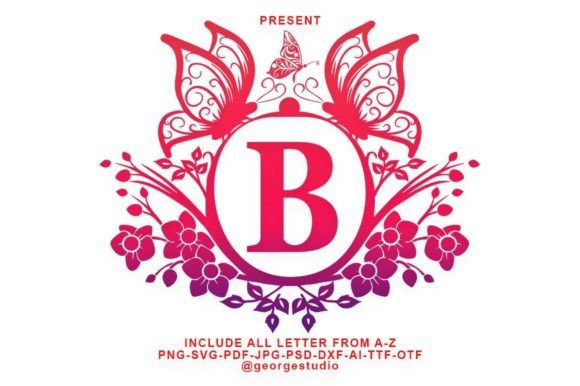
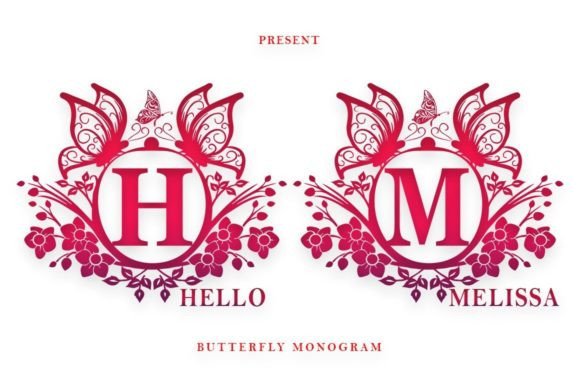
Monograms are a Cricut rite of passage, and this is the one I’d start with. The ornamental touches look just as good in holographic vinyl on a car decal as they do etched onto a mug.
I’d use it for: Mugs, wedding decor, personalized gifts
20. Monogram Classy
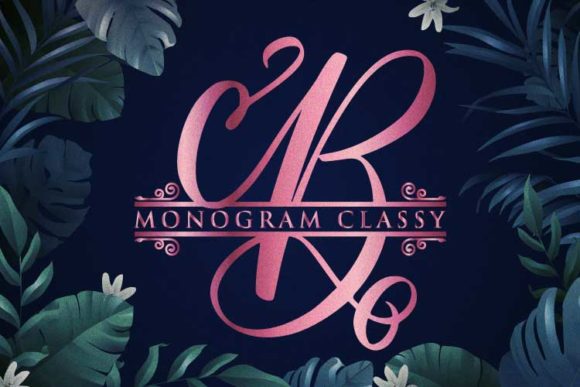
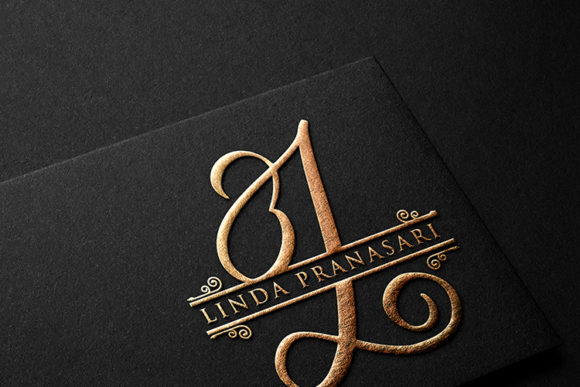
If ornate monograms feel like too much pressure for a first attempt, start here instead. No extra decoration to fuss over, just clean, upscale letters that look intentional.
I’d use it for: Business materials, simple personalized decor
21. Heart Monogram

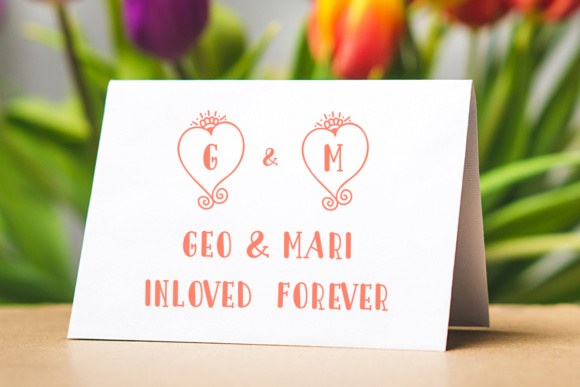
A small heart detail tucked around the letters is enough to make a gift feel intentional without turning it into a full design project. I keep this one bookmarked every February.
I’d use it for: Valentine’s gifts, anniversary decor, HTV projects
22. Chalkboard
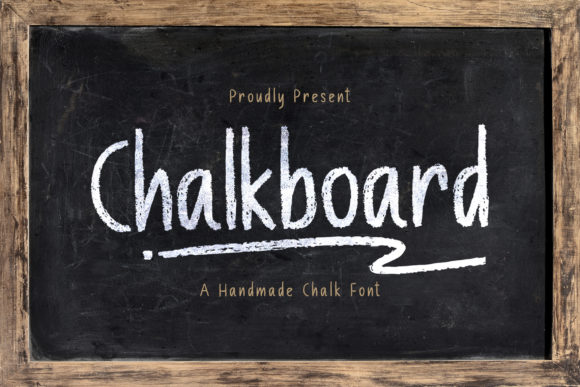

There’s something about a chalk-textured font that instantly makes a kitchen sign feel finished. It needs a bit of size to read well — I wouldn’t go smaller than a few inches — but at the right scale it’s one of my favorites for farmhouse-style decor.
I’d use it for: Kitchen signs, menu boards, farmhouse decor
23. Vanilla Cream
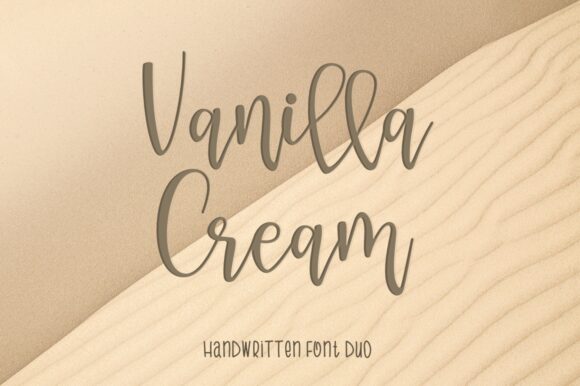
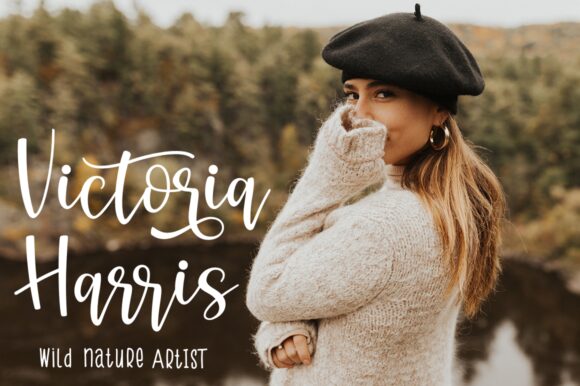
Font pairing trips up a lot of beginners — myself included, for longer than I’d like to admit. This duo solves that problem for you: a flowing script and a clean sans that were clearly built to sit side by side.
I’d use it for: Layered designs, wedding stationery, branding
24. Betterfly Font Family
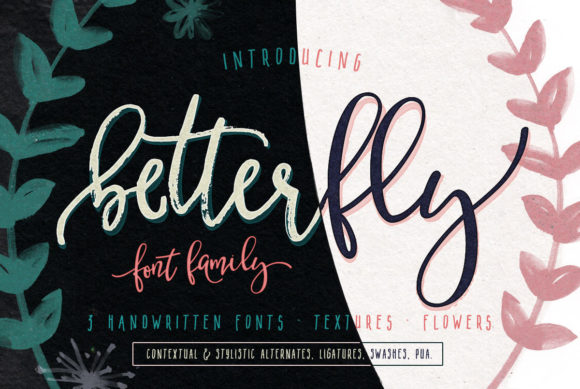

Three styles and a generous set of glyphs in one purchase, which means I rarely need to go hunting for a complementary font when I’m using this one. Good value if you want variety without buying separately.
I’d use it for: Multi-style projects, branding kits, stickers
25. Believe in Yourself
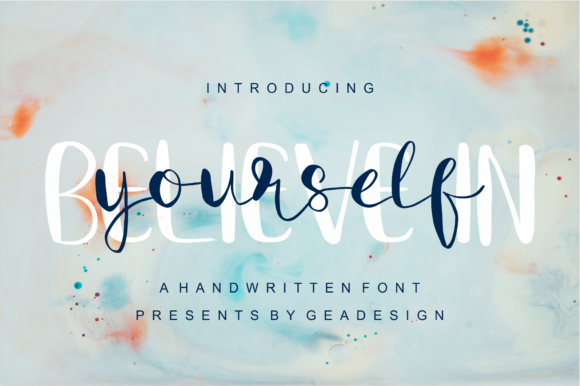
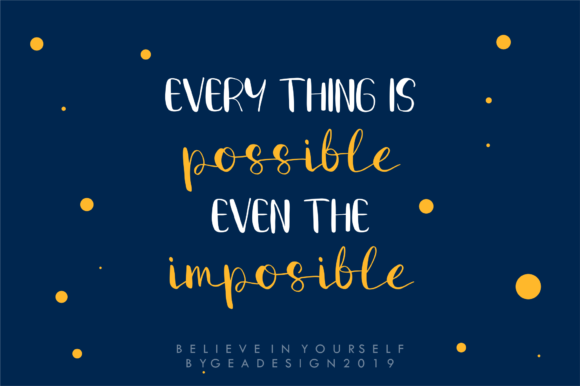
A bubbly print font paired with a lighter script that was clearly designed to layer together. I’ve used this combo on more “good vibes only” t-shirts than I can count, and the two styles always read as a matched set.
I’d use it for: T-shirts, motivational decor, layered HTV
A Few Things I’d Tell My Past Self
If I could go back to that first disastrous script-font project, I’d tell myself three things: start bold, test small, and don’t trust how a font looks on a backlit screen. Vinyl doesn’t care how pretty your monitor makes something look — it only cares about the actual geometry of the letters.
Once you’ve got two or three of these in regular rotation, you’ll start to develop an eye for which new fonts are worth the risk and which ones are going to fight you. That instinct is really the only thing that separates a beginner from someone who’s just been doing this a little longer.
🙋♂️ Frequently Asked Questions
What’s the easiest type of font for a Cricut beginner to start with?
Bold sans serif or block fonts — Strong Roots and Designer on this list are good examples. The strokes are thick and even all the way through, so there’s nothing thin enough to tear or get lost while weeding.
Can I use a regular cursive font, or does it need to be labeled a “Cricut font”?
Any font installed on your computer shows up under “System Fonts” in Design Space. I picked the fonts on this list specifically because their letterforms hold up well to cutting and weeding — not because they require any special software to work.
Do these fonts come with a commercial license?
Yes. Every font on Creative Fabrica includes personal, commercial, and print-on-demand use, so you’re covered if you decide to sell what you make.
Why does my font look fine on screen but cut badly?
This caught me off guard the first time too. Screens render things smoothly that a blade physically can’t replicate. Thin strokes, tight curves, and disconnected script letters often look flawless on a monitor and then tear or fall apart the moment they’re actually cut. I always do a small test cut before committing a full sheet of vinyl.
How do I add these fonts to Cricut Design Space?
Download the font file and install it on your computer the same way you’d install any font. Then completely close Design Space and reopen it — your new font will show up under “System Fonts” in the text tool’s font dropdown.
My Honest Advice Before You Pick Your First Font
Here’s the truth: I’ve cut hundreds of projects at this point, and the fonts that actually got used over and over weren’t the trendiest ones in my library — they were the handful that just worked every single time. That’s exactly why I put this list together. Not the 400 options Design Space throws at you on day one, but the 25 I’d actually trust with my own vinyl, my own time, and my own patience.
If you only remember one thing from this whole list, make it this: pick boldness over beauty for your first few projects. A font like Strong Roots or Designer will never make you feel like you wasted a sheet of HTV. Once you’ve got a few clean cuts under your belt, the scripts and monograms on this list will feel a lot less intimidating — I promise.
So here’s what I’d actually do if I were you right now: open Design Space, pick one font from this list — just one — and run a small test cut today. Don’t overthink it, don’t wait for “the right project.” The fastest way to stop being intimidated by your Cricut is to just put a font on the mat and watch it work.
And if you try one of these and it becomes your new go-to the way Designer became mine, I’d genuinely love to hear which one it was.
Pro Designer’s Toolkit
Master Your KDP Business
100+ Editable Templates | KDP 2026
Perfect for beginners looking to scale their KDP business without design experience.
Launch your profitable passive income journey with these done-for-you interiors for low content books. No design experience needed.
Don’t let your creative ideas stay just ideas. With our 100+ KDP Editable Templates, you can combine these stunning fonts with professional layouts to launch your passive income journey today.
— and start creating something extraordinary!
Ready to Create Something Beautiful?
Don’t let your design projects stay “ordinary.” Give them the luxury spark they deserve.
👉 Download the Full Cricut Font Collection Here!
Instant Download | Secure Payment | 100% Satisfaction Guarantee
Ready to transform your next project?
👉 Browse all Cricut Fonts on Creative Fabrica
🔥 Get unlimited downloads on
Creative Fabrica
The #1 option for designers, crafters & AI creatives
Access a massive library of high-end fonts, professional mockups, and trending design assets. Fresh creative resources are added every single day to keep your toolkit ahead of the curve!
⚡ PRO TIP: Loving these styles? Instead of buying them individually, you can get unlimited downloads of all these fonts in this list with a Creative Fabrica All-Access Subscription. It’s the ultimate hack for designers in 2026!
(Top-Rated by Creators)
Join a global community of millions. Trusted by professional graphic designers, crafters, and digital artists for reliable quality and industry-standard licensing.
You may also like:
Disclosure: This post contains affiliate links. If you make a purchase through my links, I may earn a small commission at no extra cost to you. Thank you for supporting my site! ♥️